 SyncCrate
WoW Retail guide · Updated
Your WoW addons and UI on every PC.
Move your addons and their settings to a laptop, or give your raid group the same addon pack. SyncCrate copies the AddOns and WTF folders between PCs, and after the first time only what changed.
FreeOpen sourceNo cloudWin · macOS · Linux
// 01 Why
Why moving a WoW UI takes an evening
A tuned World of Warcraft UI is two things: the addons in Interface/AddOns, and everything they remember in the WTF folder, like your action bars, raid frames, WeakAuras and keybinds. Setting up a new PC means installing every addon again and rebuilding the layout by hand, or finding and copying the right folders.
Raid groups have a similar problem the other way around: everyone should run the same boss mods and helper addons, at versions that work with the current patch.
SyncCrate syncs both folders between PCs. Files are compared by content, only the differences are copied, and you see the list before anything changes.
// 02 What syncs
What SyncCrate syncs for WoW Retail
| Folder | Path in the game folder | Files |
|---|---|---|
| Addons | Interface/AddOns/Every addon folder in Interface/AddOns. | .lua .xml .toc .tga .blp .mp3 .ogg .ttf .txt |
| Addon Settings | WTF/The WTF folder: addon settings, layouts and keybinds for your account and characters, without Config.wtf. Sync it between your own PCs; for friends, the host can keep it private. | All files |
// Where it looks
- Windows
C:\Program Files (x86)\World of Warcraft\_retail_- macOS
/Applications/World of Warcraft/_retail_- Anywhere else
- Point SyncCrate at the folder yourself, once
Built in for WoW Retail
- Script warnings.
.luafiles run code on your PC, so they're flagged for you to review before they sync. - Turn mods on and off. Disabled mods move to a
_Disabledfolder the game doesn't load. - Game-running warning. SyncCrate warns you before syncing while WoW Retail is still open.
- Undo and history. Undo the last sync in one click, and put back any single file a sync replaced or deleted.
// 03 How it works
Sync WoW Retail in three steps
Install and add the game
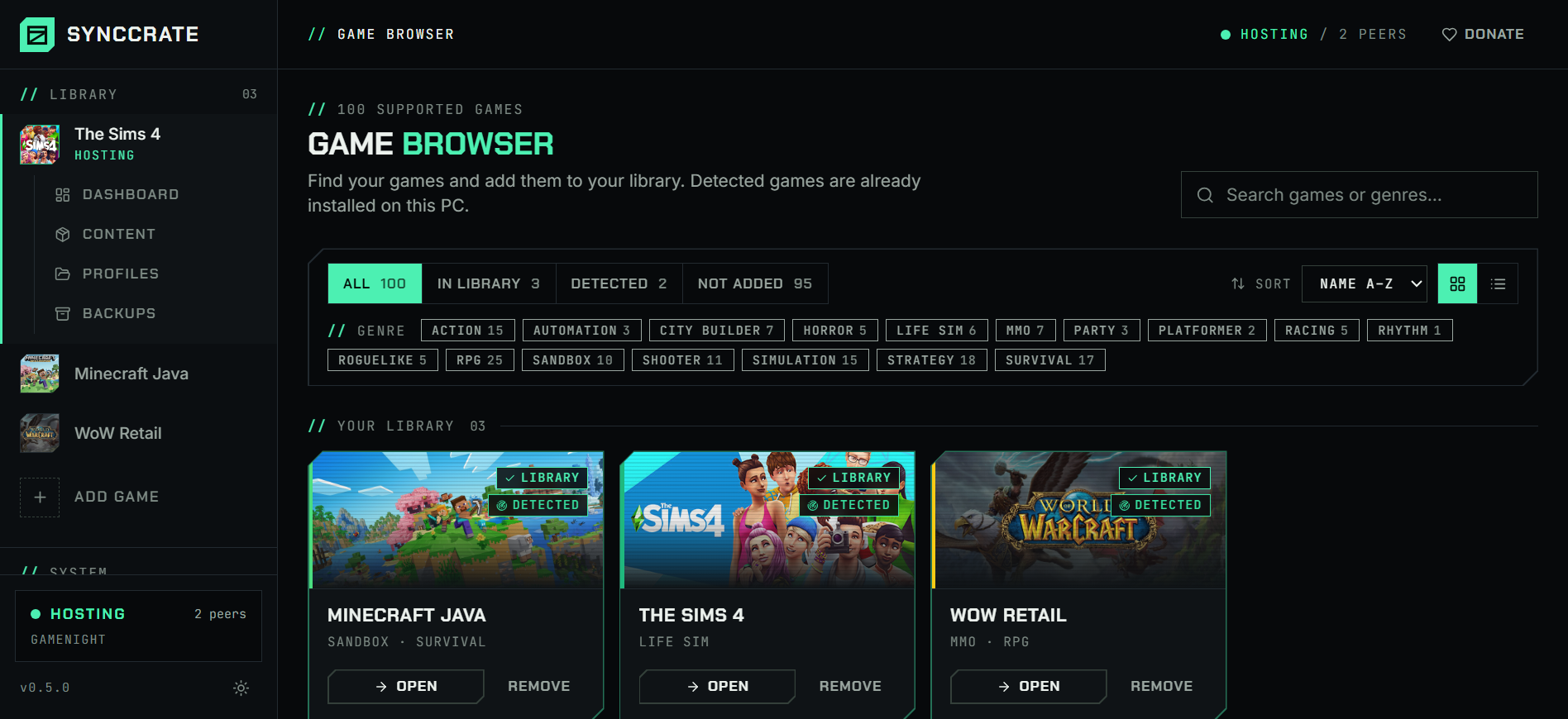
Install SyncCrate on every PC and add WoW Retail in the Game Browser. Its folder is found automatically.
One PC hosts
The PC with the setup everyone should have clicks Start Hosting. The others pick it under Scan for Hosts on the same network, or paste its join code from anywhere.
Compare and sync
Check the list of new, changed and conflicting files, then Sync Now. Only the files that differ are copied, PC to PC.
TipLog out of WoW, or close it, before you sync. The game writes addon settings to WTF when you log out, and SyncCrate warns you if it's still running.
// 04 Common problems
When WoW Retail mods don't match
A new PC without your UI
Installing addons again is quick, but the settings they keep in
WTF, from bar layouts to profiles, are what take hours to rebuild.Sync both folders from the old PC and log in with your UI exactly as it was.
Raid group on different addon versions
Boss mods and raid helpers need to be current, and a raider with an outdated version misses warnings or breaks shared timers.
The raid leader hosts, everyone else syncs the AddOns folder and gets the same versions.
Settings lost after syncing while logged in
WoW keeps addon settings in memory and writes them on logout, so files copied while you play get overwritten.
SyncCrate warns you when the game is running. Log out first, then sync.
Addons run code
Addons are Lua and run inside the game, so you want them from people you trust.
.luafiles are flagged before they sync, and nothing changes until you approve the list.
// 05 WoW Retail
Good to know
- WTF is personal. It holds your account's addon settings. Sync it between your own PCs; when sharing with friends, let the host keep it private and share only AddOns.
Config.wtf(account name, graphics and monitor settings) is never copied. - Addon managers like CurseForge or WowUp may list synced addons as installed outside the manager until they rescan.
- Classic flavors (Classic, Classic Era) and older standalone clients are separate games in SyncCrate, each with its own folders.
// FAQ
WoW Retail questions
How do I move my WoW addons and settings to a new PC?
Install SyncCrate on both PCs, host on the old one and join from the new one, then Compare & Sync. Both AddOns and WTF come along when the host allows both folders. Log out of WoW on the old PC first.
Where are WoW addons installed?
In World of Warcraft\_retail_\Interface\AddOns, with their settings in World of Warcraft\_retail_\WTF. SyncCrate finds the default install folder on Windows and Mac, and you can point it anywhere else.
Can I share my addon pack with my guild?
Yes. Host with only the AddOns folder allowed, and guildmates sync to get the same addons and versions without your personal settings.
// Related game guides
All games · SyncCrate supports 100 games.
// Free · Open source · Windows, macOS, Linux
Same WoW Retail setup on every PC.
Install SyncCrate on each PC, one of you hosts, everyone else joins. No accounts, no cloud, nothing uploaded anywhere.