 SyncCrate
The Sims 4 (ReShade) guide · Updated
Same Sims 4 ReShade look on every PC.
A preset is only half of a ReShade look; the shaders it uses have to be there too. SyncCrate copies the host's presets and shader folders from the Sims 4 game folder to the other PC, and after the first time only what changed.
FreeOpen sourceNo cloudWin · macOS · Linux
Also for The Sims 4 (GShade).
// 01 Why
Why a shared ReShade preset looks wrong on another PC
Sims 4 ReShade presets are small .ini files, so they're easy to pass around. What they don't contain are the effects themselves. A preset lists which shaders to run and with which values, and the .fx files and textures behind them live in reshade-shaders next to the game.
When a friend loads your preset without the same shaders, some effects are missing, others fail to compile, and the screenshots you wanted to match don't. Storytellers and builders who post in the same style, or a group sharing one look for a challenge, run into this all the time.
SyncCrate syncs the presets and the whole shader folder from one PC to the others. Files are compared by content, only the differences are copied, and you see the list before anything changes.
// 02 What syncs
What SyncCrate syncs for The Sims 4 (ReShade)
| Folder | Path in the game folder | Files |
|---|---|---|
| ReShade Presets | reshade-presets/Presets kept in a reshade-presets folder. | .ini |
| ReShade Shaders | reshade-shaders/The reshade-shaders folder: .fx and .fxh shader files and the textures they use. | .bmp .dds .fx .fxh .jpeg .jpg .png .tga |
| ReShade Presets (Bin) | (game folder)/Presets saved straight into Game/Bin, next to the game. Only .ini files that really are presets are picked up; ReShade.ini, dxgi.ini and other loader settings stay behind. | .ini |
// Where it looks
- Windows
- The install folder the game's installer recorded
- Steam
steamapps/common/The Sims 4/Game/Binin every Steam library, on every drive- Windows
%ProgramFiles%\EA Games\The Sims 4\Game\Bin- Anywhere else
- Point SyncCrate at the folder yourself, once
Built in for The Sims 4 (ReShade)
- Turn mods on and off. Disabled mods move to a
_Disabledfolder the game doesn't load. - Game-running warning. SyncCrate warns you before syncing while The Sims 4 (ReShade) is still open.
- Undo and history. Undo the last sync in one click, and put back any single file a sync replaced or deleted.
// 03 How it works
Sync The Sims 4 (ReShade) in three steps
Install and add the game
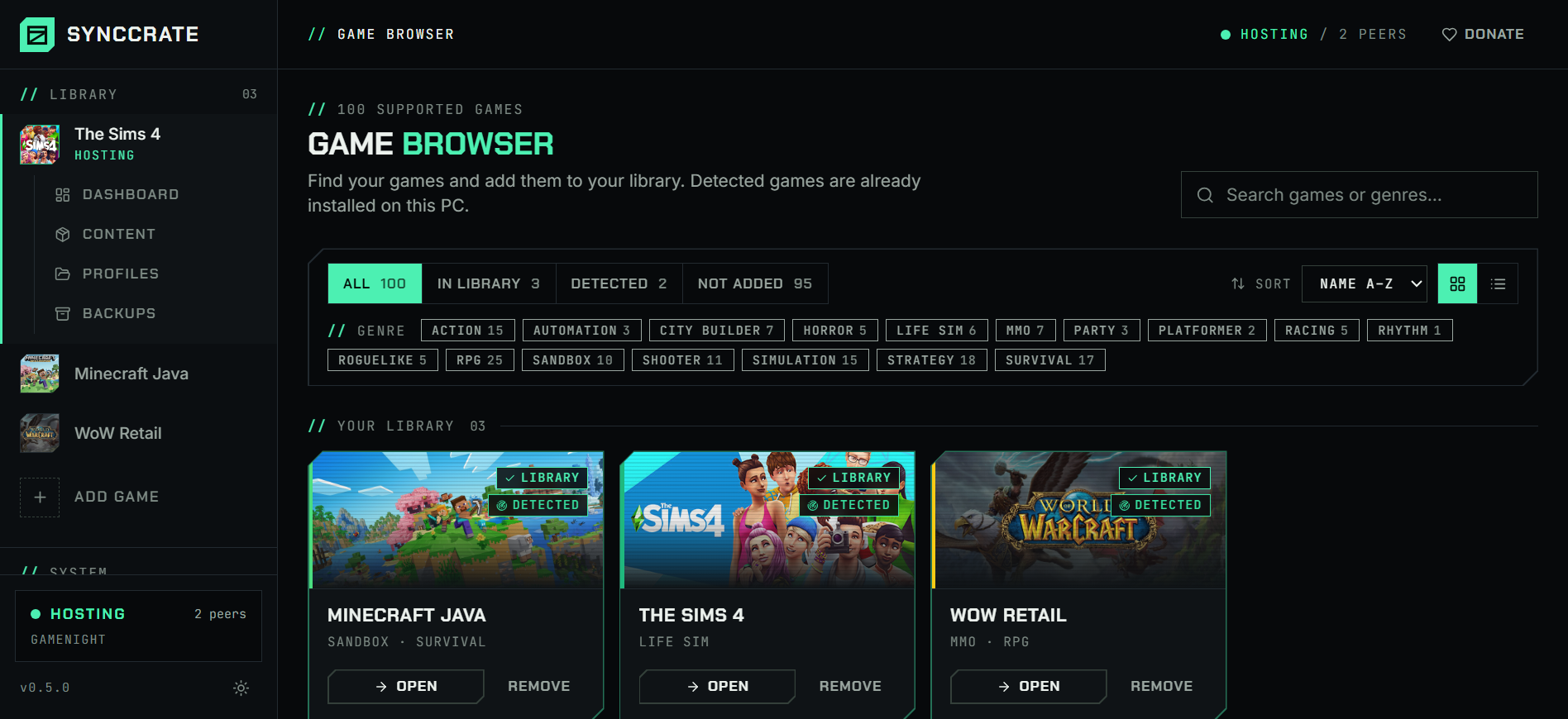
Install SyncCrate on every PC and add The Sims 4 (ReShade) in the Game Browser. Its folder is found automatically.
One PC hosts
The PC with the setup everyone should have clicks Start Hosting. The others pick it under Scan for Hosts on the same network, or paste its join code from anywhere.
Compare and sync
Check the list of new, changed and conflicting files, then Sync Now. Only the files that differ are copied, PC to PC.
TipInstall ReShade (or GShade) into The Sims 4's Game/Bin folder on every PC first. SyncCrate copies presets and shaders, not ReShade itself.
// 04 Common problems
When The Sims 4 (ReShade) mods don't match
Effects missing after loading a preset
The preset names shaders the other PC doesn't have, so parts of the look never appear and ReShade reports effects it can't find or compile.
The shader folder syncs together with the presets, so every effect a preset uses is there.
Different versions of the same shader
Shader packs get updated, and two PCs with different versions of the same
.fxfile can render a preset differently or not at all.Shaders are compared by content, not name, so the other PC ends up with exactly the host's files.
Presets scattered in the game folder
ReShade saves presets wherever you tell it, and many end up loose in
Game/Binbetween the game's own files.SyncCrate picks up preset files in
Game/Binby what's inside them and leaves the game's files and loader settings alone.Windows won't let you write to the folder
Installs under
Program Filesare protected, so copying shaders there fails without admin rights.SyncCrate tells you when the folder is protected and offers to restart as administrator for that game.
// 05 The Sims 4 (ReShade)
Good to know
- GShade works the same way. Add The Sims 4 (GShade) instead to sync
gshade-presetsandgshade-shaders. Your ownGShade.iniisn't synced either. - Your ReShade settings stay yours.
ReShade.ini(hotkeys, overlay settings, shader paths) is never copied, so pick the synced preset in the overlay once. - Separate from your mods. ReShade is its own entry, next to The Sims 4, so you can share a look without touching anyone's Mods folder, or share both.
- Found automatically on EA app, Origin and Steam installs, once ReShade or GShade is in
Game/Bin.
// FAQ
The Sims 4 (ReShade) questions
Where are Sims 4 ReShade presets and shaders?
In The Sims 4's Game/Bin folder, where ReShade is installed: shaders in reshade-shaders, presets as .ini files in Game/Bin itself or a presets folder. SyncCrate finds the folder on EA app, Origin and Steam installs.
Can I share a ReShade preset with a friend so our screenshots match?
Yes. Host on your PC with the ReShade entry, your friend joins and syncs, then picks the preset in ReShade's overlay. They get the shaders it needs too, so it looks the way it does on your screen.
Does my friend need ReShade installed?
Yes. SyncCrate copies presets and shaders but not ReShade itself. Installing the same ReShade version as the host avoids shaders that behave differently between versions.
Can I sync GShade presets?
Yes, with the The Sims 4 (GShade) entry, which syncs gshade-presets and gshade-shaders. GShade is no longer developed, so if your group is switching to ReShade, share the ReShade folders instead.
Does this change my Sims 4 mods?
No. The ReShade entry only touches the preset and shader files in Game/Bin. Mods, CC, saves and tray items are synced with the separate The Sims 4 entry.
// Related game guides
All games · SyncCrate supports 100 games.
// Free · Open source · Windows, macOS, Linux
Same The Sims 4 (ReShade) setup on every PC.
Install SyncCrate on each PC, one of you hosts, everyone else joins. No accounts, no cloud, nothing uploaded anywhere.