 SyncCrate
Lethal Company guide · Updated
Same Lethal Company mods for the whole crew.
Nothing kills a quota run like a crewmate who can't join. SyncCrate copies the host's BepInEx plugins, and the configs if you want, to everyone, and after the first time only what changed.
FreeOpen sourceNo cloudWin · macOS · Linux
// 01 Why
Why modded Lethal Company lobbies break
A lot of Lethal Company mods have to be installed by everyone in the lobby: bigger crews, new moons, new items and monsters. When one player has a different version or is missing a mod, they can't join, or they see a different game from everyone else.
Groups end up with long mod lists, weekly updates and one person who's always "still downloading". Mod managers install mods, but keeping the whole crew on the same versions every week is manual work.
With SyncCrate one PC hosts and the others match it. Plugins are compared by content, only the differences are copied, and everyone sees the list before anything changes.
// 02 What syncs
What SyncCrate syncs for Lethal Company
| Folder | Path in the game folder | Files |
|---|---|---|
| Plugins (BepInEx) | BepInEx/plugins/Plugin .dll files plus the bundles, manifest.json files and icons that come with them. | All files |
| Mod Configs | BepInEx/config/Mod settings. A separate folder, so the host can share the lobby's settings or leave everyone's own alone. | .cfg .json |
// Where it looks
- Steam
steamapps/common/Lethal Companyin every Steam library, on every drive- Anywhere else
- Point SyncCrate at the folder yourself, once
Built in for Lethal Company
- Script warnings.
.dllfiles run code on your PC, so they're flagged for you to review before they sync. - BepInEx check. Warns when BepInEx isn't installed on a PC, because the synced mods can't load without it.
- Disabling that sticks. Turning a mod off renames it to
.disabledin place, because the game also loads mods from subfolders. - Game-running warning. SyncCrate warns you before syncing while Lethal Company is still open.
- Undo and history. Undo the last sync in one click, and put back any single file a sync replaced or deleted.
// 03 How it works
Sync Lethal Company in three steps
Install and add the game
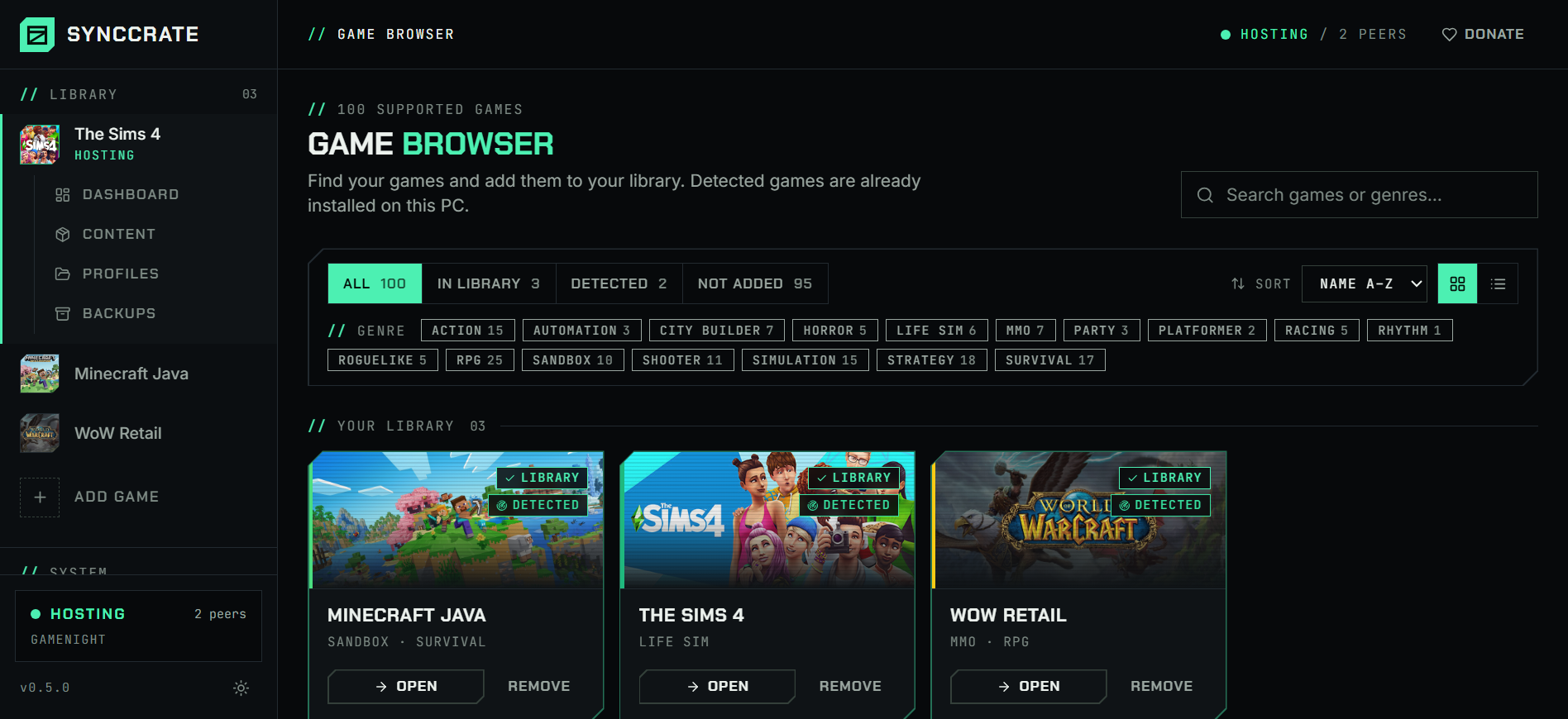
Install SyncCrate on every PC and add Lethal Company in the Game Browser. Its folder is found automatically.
One PC hosts
The PC with the setup everyone should have clicks Start Hosting. The others pick it under Scan for Hosts on the same network, or paste its join code from anywhere.
Compare and sync
Check the list of new, changed and conflicting files, then Sync Now. Only the files that differ are copied, PC to PC.
TipEvery PC needs BepInEx itself installed once. SyncCrate syncs the plugins and configs and warns you if BepInEx is missing.
// 04 Common problems
When Lethal Company mods don't match
A crewmate can't join
Mods that change the lobby, like bigger crews, custom moons or new items, usually need everyone to run the same version.
Everyone syncs the host's plugins before the run, so the whole crew has the same mods and versions.
Mods updated again
Popular mods update often, and after a game update half the list changes at once. One player on an old version is enough to break the lobby.
Check for updates asks Thunderstore about every mod installed from it. The host updates, everyone else syncs and gets only the changed files.
Which mods do we even have?
Plugin folders are named
Author-ModNameand fill up fast, so comparing lists over voice chat doesn't work.The Content page reads each mod's Thunderstore
manifest.jsonand shows its name, version, author and icon, and search finds mods by name.Configs differ between players
Some mods need the same settings for everyone (loot, spawn rates, crew size), others are personal (keybinds, HUD).
Configs are their own folder. The host decides whether friends may sync it, and conflicts ask whose version to keep.
// 05 Lethal Company
Good to know
- Using r2modman or Thunderstore Mod Manager? Your mods live in the manager's profile folder, not the game folder. In the manager use Settings → Browse profile folder, and point SyncCrate at that folder.
- Plugins run code.
.dllfiles are flagged before they sync, and nothing changes until you approve the list. Only sync with people you trust. - Saves stay yours. Only the BepInEx plugins and config folders sync.
// FAQ
Lethal Company questions
Do all players need the same mods in Lethal Company?
For mods that change the lobby, the ship, moons, items or monsters, yes. Some cosmetic or client-side mods only matter on your PC. Syncing the host's set avoids guessing.
Why not just share an r2modman profile code?
Profile codes are great for installing a pack from Thunderstore once. SyncCrate copies the files directly from the host's PC, so it also handles mods that aren't on Thunderstore and your own config edits, works on a LAN without internet, and sends only what changed each time the host updates.
Both can be used together: point SyncCrate at the r2modman profile folder.
Where are Lethal Company mods installed?
With BepInEx, in BepInEx/plugins inside the game folder, with settings in BepInEx/config. Mod managers use a profile folder with the same layout instead.
Does it work over the internet?
Yes. The host shares a join code, and friends paste it from anywhere. On the same network, they can pick the host under Scan for Hosts instead.
// Related game guides
All games · SyncCrate supports 100 games.
// Free · Open source · Windows, macOS, Linux
Same Lethal Company setup on every PC.
Install SyncCrate on each PC, one of you hosts, everyone else joins. No accounts, no cloud, nothing uploaded anywhere.