 SyncCrate
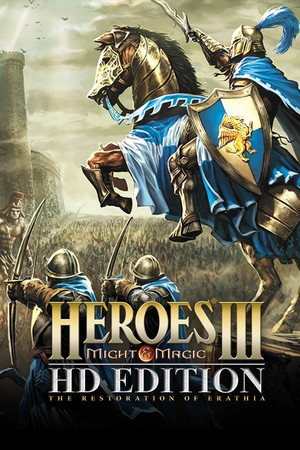
Heroes of Might and Magic III guide · Updated
Same Heroes 3 maps for every player.
Share the group's custom maps and saved games for LAN or hotseat nights. SyncCrate copies the host's Maps and Games folders, and after the first time only what changed.
FreeOpen sourceNo cloudWin · macOS · Linux
// 01 Why
Heroes 3 nights with friends
Heroes of Might and Magic III is still played at LAN parties, often with Horn of the Abyss. Custom maps get passed around on USB sticks, and a long multiplayer game is saved on one PC.
With SyncCrate one PC hosts and the others match it. Maps and saves are compared by content and only the differences are copied.
// 02 What syncs
What SyncCrate syncs for Heroes of Might and Magic III
| Folder | Path in the game folder | Files |
|---|---|---|
| Maps | Maps/Custom maps (.h3m) and campaigns (.h3c). | .h3m .h3c |
| Save Files | Games/Saved games, including multiplayer ones. | .gm1 .gm2 .gm3 .gm4 .gm5 .gm6 .gm7 .gm8 .cgm |
// Where it looks
- Windows
C:\GOG Games\Heroes of Might and Magic 3 Complete- Anywhere else
- Point SyncCrate at the folder yourself, once
Built in for Heroes of Might and Magic III
- No per-file on/off switch. Mods for this game can't be turned off one file at a time, so SyncCrate syncs them as they are.
- Game-running warning. SyncCrate warns you before syncing while Heroes of Might and Magic III is still open.
- Undo and history. Undo the last sync in one click, and put back any single file a sync replaced or deleted.
// 03 How it works
Sync Heroes of Might and Magic III in three steps
Install and add the game
Install SyncCrate on every PC and add Heroes of Might and Magic III in the Game Browser. Its folder is found automatically.
One PC hosts
The PC with the setup everyone should have clicks Start Hosting. The others pick it under Scan for Hosts on the same network, or paste its join code from anywhere.
Compare and sync
Check the list of new, changed and conflicting files, then Sync Now. Only the files that differ are copied, PC to PC.
TipClose the game before syncing. Every PC needs the same Horn of the Abyss version for multiplayer.
// 04 Common problems
When Heroes of Might and Magic III mods don't match
Passing maps around
Everyone needs the map you picked for tonight.
The host's Maps folder syncs to every PC.
Continuing a long game
The save is on whoever hosted last time.
Saved games sync too.
Different HotA versions
Players on different Horn of the Abyss versions can't play together.
Update HotA on every PC. SyncCrate doesn't copy the game itself.
// 05 Heroes of Might and Magic III
Good to know
- GOG Complete edition. Horn of the Abyss needs the Complete edition, not Steam's HD Edition. SyncCrate looks in the usual GOG folders; point it at the game folder once if yours is elsewhere.
- The game and HotA aren't copied. Only maps and saves.
// FAQ
Heroes of Might and Magic III questions
Does it work with Horn of the Abyss?
Yes. HotA keeps maps and saves in the same folders.
Steam HD Edition?
HotA doesn't run on it. SyncCrate is set up for the GOG Complete edition.
Does it copy HotA?
No. Install the same version on each PC.
Does it work without internet?
Yes. On a LAN, friends pick the host under Scan for Hosts.
// Related game guides
All games · SyncCrate supports 123 games.
// Free · Open source · Windows, macOS, Linux
Same Heroes of Might and Magic III setup on every PC.
Install SyncCrate on each PC, one of you hosts, everyone else joins. No accounts, no cloud, nothing uploaded anywhere.