 SyncCrate
Factorio guide · Updated
Same Factorio mods for every engineer.
Factorio can download a server's mods for you, if everyone has internet and a factorio.com login. For LAN parties, private mods and handing over the factory, SyncCrate copies the host's mods and saves PC to PC.
FreeOpen sourceNo cloudWin · macOS · Linux
// 01 Why
When Factorio's own mod sync isn't enough
Factorio already helps: joining a modded server offers to download the missing mods from the mod portal, and the Mods menu can match a save's mod list. That needs internet on every PC, a logged-in factorio.com account, and mods that are published on the portal.
At a LAN party without a good connection, with a mod you wrote yourselves, or with a big overhaul like Space Exploration, that falls apart quickly. And handing a megabase to a friend who wants to host means sending a save and making sure they have the same mods.
SyncCrate copies the host's mods, saves and scenarios directly between PCs. Files are compared by content, only the differences are copied, and everyone sees the list before anything changes.
// 02 What syncs
What SyncCrate syncs for Factorio
| Folder | Path in the game folder | Files |
|---|---|---|
| Mods | mods/Mod .zip files from the mod portal or anywhere else. | .zip .json .dat |
| Save Files | saves/Save files, so someone else can host the factory. | .zip |
| Scenarios | scenarios/Custom scenarios. | All files |
// Where it looks
- Windows
%APPDATA%\Factorio- macOS
~/Library/Application Support/factorio- Linux
~/.factorio- Anywhere else
- Point SyncCrate at the folder yourself, once
Built in for Factorio
- Script warnings.
.luafiles run code on your PC, so they're flagged for you to review before they sync. - Turn mods on and off. Disabled mods move to a
_Disabledfolder the game doesn't load. - Game-running warning. SyncCrate warns you before syncing while Factorio is still open.
- Undo and history. Undo the last sync in one click, and put back any single file a sync replaced or deleted.
// 03 How it works
Sync Factorio in three steps
Install and add the game
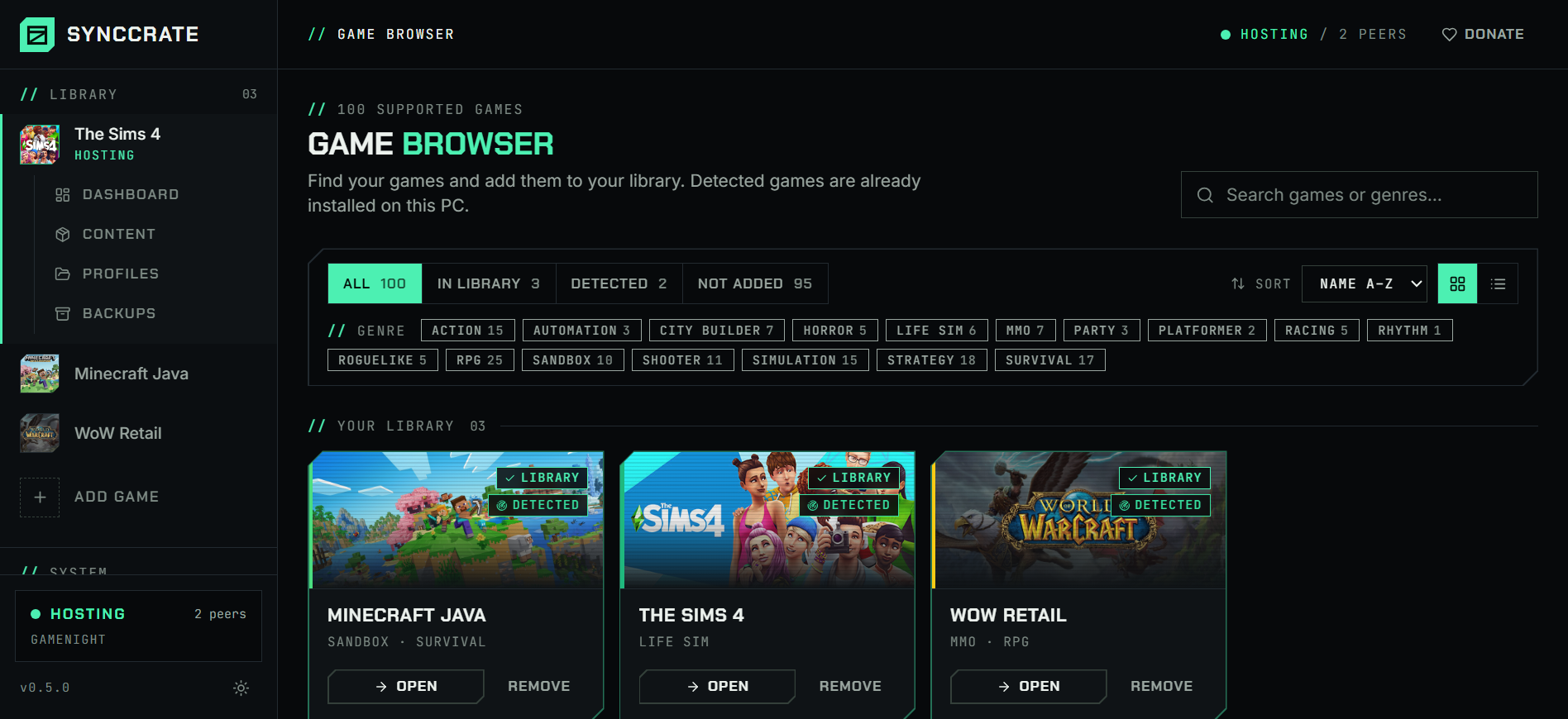
Install SyncCrate on every PC and add Factorio in the Game Browser. Its folder is found automatically.
One PC hosts
The PC with the setup everyone should have clicks Start Hosting. The others pick it under Scan for Hosts on the same network, or paste its join code from anywhere.
Compare and sync
Check the list of new, changed and conflicting files, then Sync Now. Only the files that differ are copied, PC to PC.
TipEvery PC needs the same Factorio version, and Space Age on every PC if the mods or the save use it. SyncCrate copies mods and saves, not the game or the DLC.
// 04 Common problems
When Factorio mods don't match
No internet at the LAN party
The in-game mod download needs the mod portal. On a LAN with a slow or no connection, twenty engineers downloading the same overhaul doesn't happen.
SyncCrate works on the local network with no internet at all, at LAN speed, from one host to the whole room.
Mods that aren't on the portal
Your own tweaks, a friend's work-in-progress mod or a patched version can't be downloaded from the portal.
SyncCrate copies whatever
.zipis in the host's mods folder, portal or not.Handing over the factory
Someone else wants to host tonight, but the save is on your PC and needs your exact mods.
Saves sync together with the mods, so the new host has both.
Mods run code
Factorio mods are Lua scripts. The game sandboxes them, but you still want to know what you're adding.
Mods are listed before they sync, and nothing changes until you approve. Only sync with people you trust.
// 05 Factorio
Good to know
- Which mods are enabled (
mod-list.json) and mod settings (mod-settings.dat) sync with the mods, so the other PC loads the same set with the same settings. - Your settings stay yours.
config.ini, keybinds and your factorio.com login aren't copied. - Steam, factorio.com or GOG: the mods live in your user folder either way, and SyncCrate finds it.
- Taking turns on one save? Share it with your crew under Shared saves on the Dashboard. It then only moves when someone takes it or gives it back, never in a normal sync, so nobody plays an old copy. Friends connect from Crews or with the join code, not over the local network.
// FAQ
Factorio questions
Doesn't Factorio already sync mods?
It can download a server's mods from the mod portal when you join, with internet and a factorio.com account. SyncCrate covers the rest: LAN parties without internet, mods that aren't on the portal, and passing saves between players.
Where is the Factorio mods folder?
On Windows %APPDATA%\Factorio\mods, on a Mac ~/Library/Application Support/factorio/mods, and on Linux ~/.factorio/mods. SyncCrate finds it automatically.
Can I give my save to a friend so they can host?
Yes. Saves sync with the mods, so your friend gets the factory and the mods it needs.
// Related game guides
All games · SyncCrate supports 100 games.
// Free · Open source · Windows, macOS, Linux
Same Factorio setup on every PC.
Install SyncCrate on each PC, one of you hosts, everyone else joins. No accounts, no cloud, nothing uploaded anywhere.